Codify Werkz — Transmission: SVG Werkz Is Live
You know exactly what you want to draw. Your SVG editor doesn’t.
That’s where SVG Werkz started. Not as a big plan, but as a fix for a problem we kept running into.
Why We built it
We cut vinyl. The software that came with our cutter did what we needed, sort of. Getting there was the problem. Simple things took way too many steps, the controls we wanted weren’t there, and some of the tools just didn’t work right.
So we tried other SVG apps, and they all had something wrong with them:
- Missing controls. We’re used to the pen tool in Photoshop, where you can grab a node, pull a handle, break it, and bend a curve exactly how you want. Most SVG editors don’t come close.
- Buggy. Shapes that merge into a mess of extra nodes. Undo that doesn’t really undo. Handles you can barely see, let alone grab.
- Way too complicated. Some apps can do everything, but you need a course just to find the button you want.
We didn’t want the biggest app. We wanted one that does SVG editing well, with the controls you need and nothing in your way. Nobody was making that, so we started building it.
Why “Werkz”?
SVG Werkz is part of the Codify Werkz family. It’s the same idea behind everything we build: tools that just work. No fighting the app, no workarounds, no cleanup after. You open it, you draw, it works.
(And yes, it’s with a z.)
What makes it different
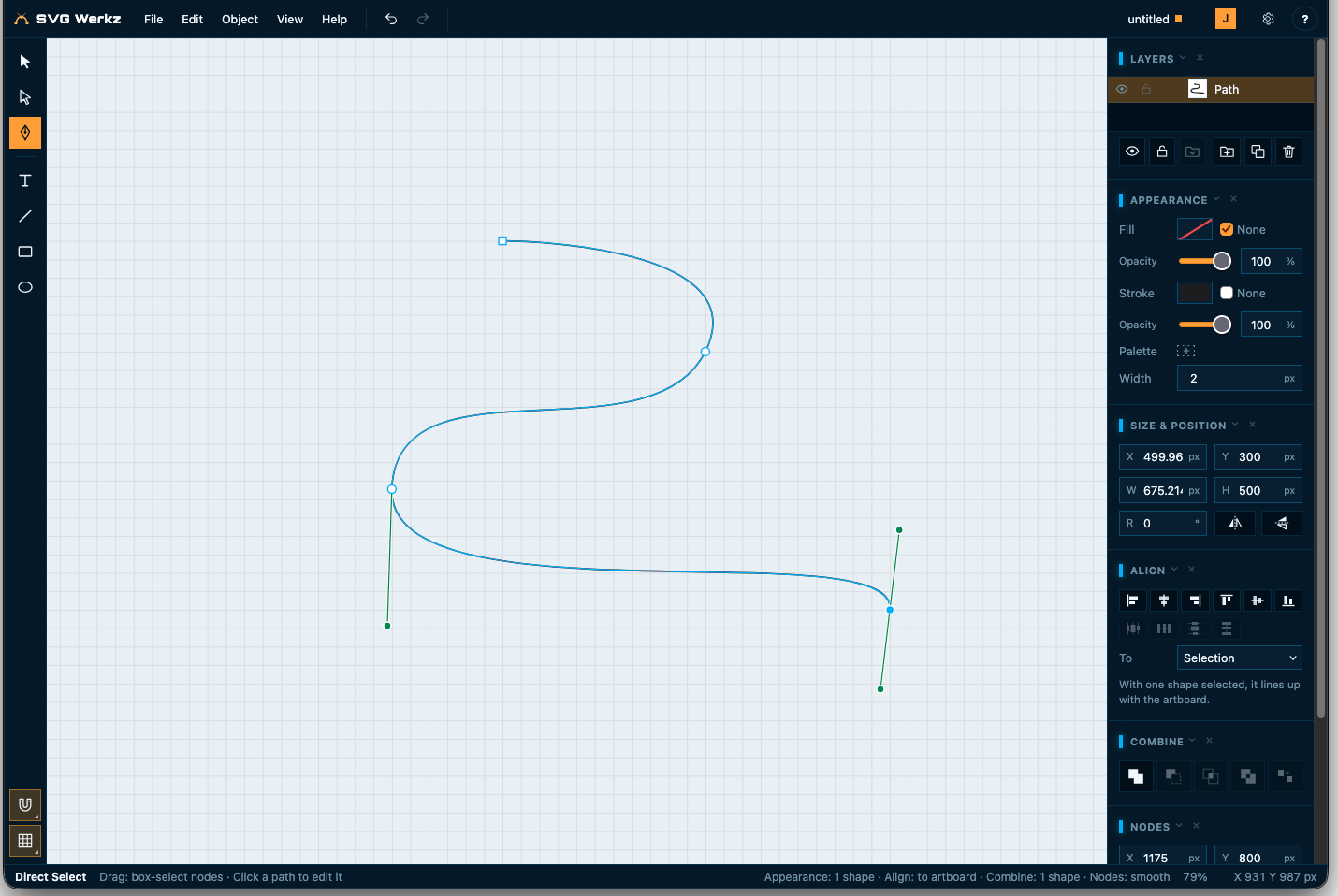
A pen tool that works like you think. Click to add nodes, drag to make curves, then hold a key to switch to direct select, move a handle or break a pair. If you’ve used Photoshop’s pen tool, you’ll feel at home. The nodes and handles are big enough to actually see and grab.
Image tracing without the mess. Drop in a logo, a sketch or a scan, and SVG Werkz traces it into paths you can edit. Most tracers give you a thousand nodes when you only needed a few. SVG Werkz makes straight edges into real straight lines, keeps corners sharp, and gives curves only the nodes they need. You can trace in black & white, in color, or as centerlines for pens, plotters and engravers. You see the trace on the canvas as you change the settings, and nothing gets added until you’re happy with it.
Combine shapes without wrecking your curves. Merge, cut, intersect and exclude. Curves stay curves, and new nodes only show up where outlines actually cross. You can even work on parts of one shape: cut out the inside of a letter, then fill it back in later if you change your mind.
870+ Google Fonts built in. Type your text, pick a font, then turn it into paths when you’re ready to edit the letters themselves.
The everyday stuff, done right. Layers and folders, locking and hiding, simplifying nodes, splitting a shape into pieces, keyboard shortcuts you can change, and 300 steps of undo.
Nothing to install. It runs right in your browser. Sign in with your email, and your files are saved to your account.
Who it’s for
- Crafters with vinyl cutters, Cricut-style machines and laser engravers who need clean cut files
- Designers making logos, icons and simple graphics who don’t want to pay for (or learn) a giant design suite
- Web developers who need clean, light SVGs without a pile of junk nodes
- Anyone who has opened an SVG editor and closed it five minutes later
If you’ve ever thought “why is this so hard?” while editing an SVG, this is for you.
It’s free while it’s in beta
SVG Werkz is in beta, and it’s free to use as an online application. That also means it’s still growing, and you get a say in where it goes. We’re adding features all the time, and the feedback from early users is shaping what comes next. A desktop app is planned down the road.
If something feels off, breaks, or you wish it did something it doesn’t, let us know. That’s the whole point of the beta.
See you on the grid.
User
Ajaxx @ Codify Werkz
Leave a Reply
You must be logged in to post a comment.