Online Application
SVG Werkz
Most SVG editors are either too big or too basic. SVG Werkz gives you a real pen tool, full node control, Image Tracing, Google fonts, and shapes you can merge, cut, split and erase — right in your browser – for free!
Scroll
870+
Google Fonts
300
Steps of Undo
0
Installs Needed
Free
Online Editor
What’s Included
Every tool you need for clean Laser & cut-ready SVGs
SVG Werkz runs right in your browser. No installs, no plugins, no giant program to learn — just the tools you need to draw, edit and export.

Pen Tool
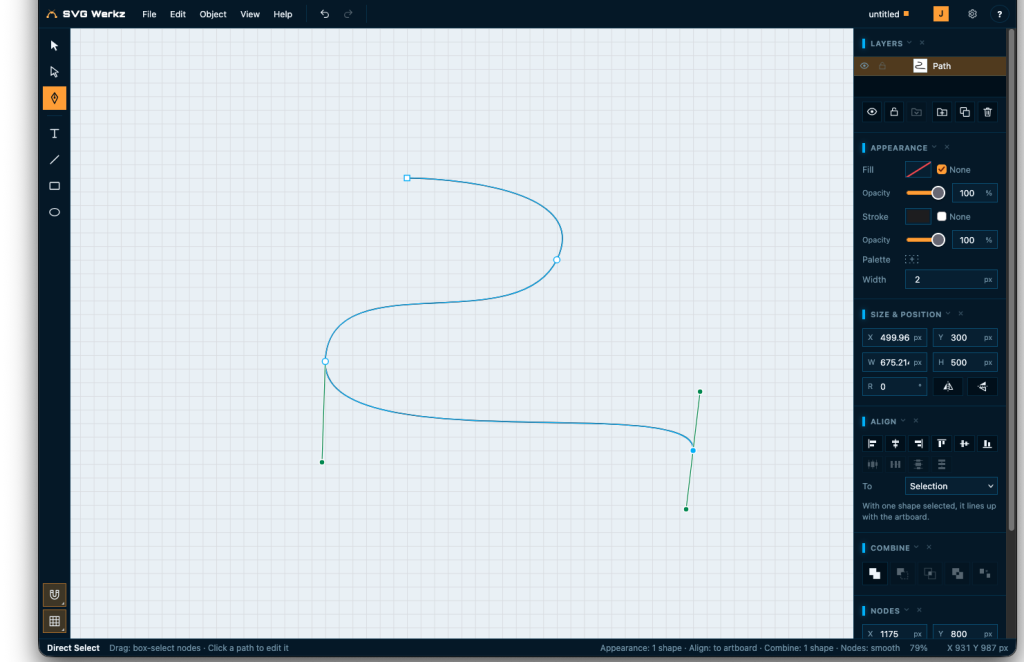
Click for corners, drag for curves. Break handles, close paths, pick up an open end and keep drawing.
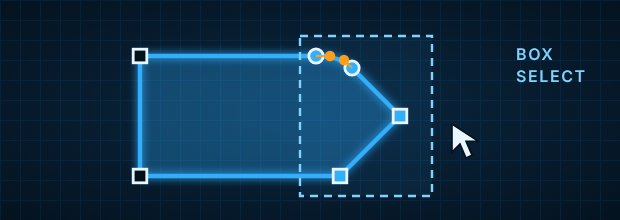
Full Node Control
Move nodes and handles, round corners, and box-select just the nodes you need. Isolated editing keeps everything else out of the way.
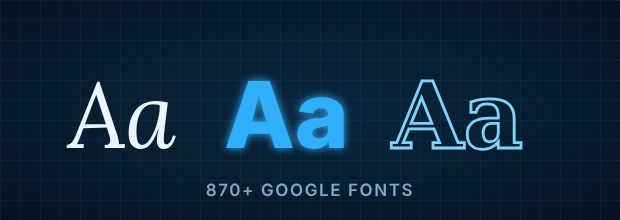
Text & Google Fonts
870+ Google fonts plus your own. Star and tag favorites, style single letters, then convert to paths — whole, by word, or by letter.
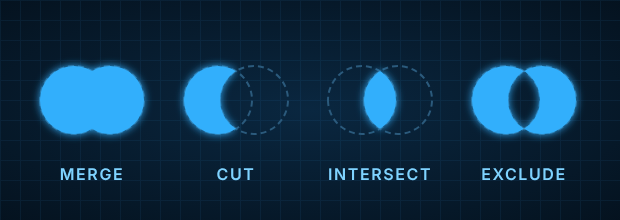
Combine Shapes
Merge, cut, intersect and exclude whole shapes, or just the parts inside one. Curves stay curves — new nodes only go where outlines cross.
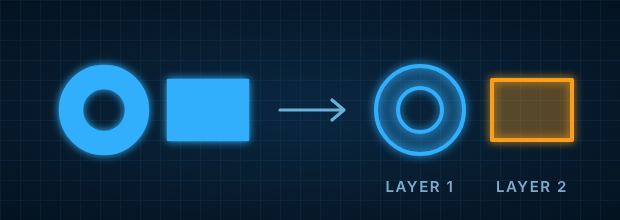
Split Apart
Break a shape into its separate pieces, each on its own layer. Holes stay with their piece, so an O stays an O.
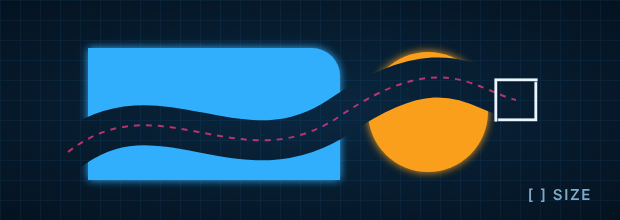
Eraser
A square or round brush that cuts away whatever it passes over. [ and ] change the size, Shift+[ and ] round the corners. Pick layers to erase only those.
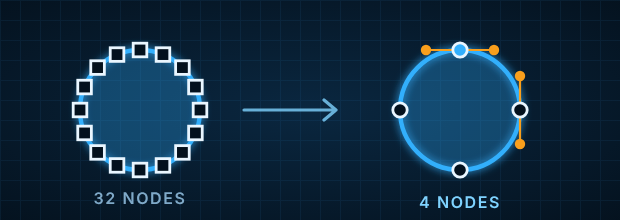
Simplify Nodes
Clean up files with too many nodes. Straight lines stay straight, corners stay sharp, and a 32-node circle becomes 4.
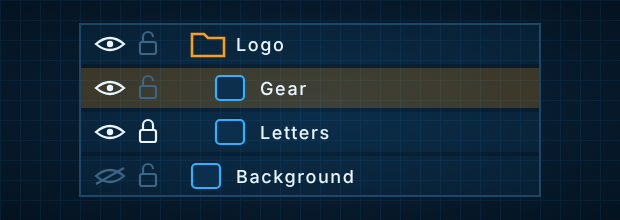
Layers & Folders
Show, hide, lock, rename and reorder. Hide a whole folder and still show one layer inside it.
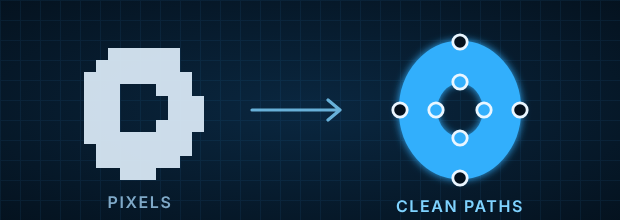
Trace Images
Turn a logo, sketch or scan into clean vector paths. Black & white, full color, or centerline. Straight edges come out as true lines, and curves get as few nodes as possible.
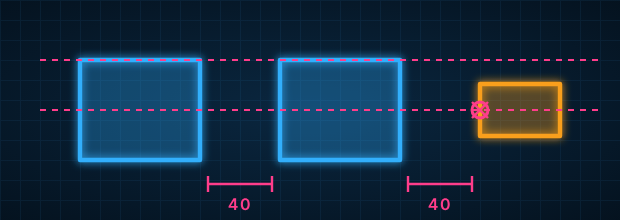
Smart Snapping
Snap to the grid, nodes, outlines, edges, centers and even spacing — with guides that show what lined up.
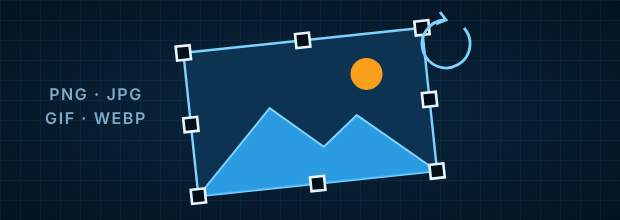
Place Images
Bring in a PNG, JPG, GIF or WebP to trace over. Move, resize, rotate, flip, hide or lock it like any layer.
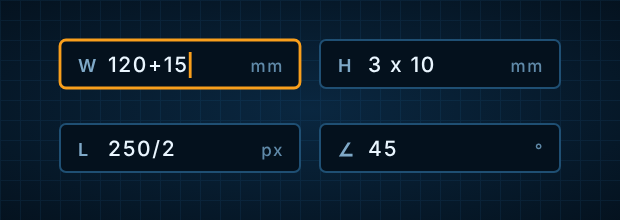
Type Exact Values
Type sizes and angles while you draw, and do math right in the box — 120+15, 3 x 10mm — in px, mm, cm, in or pt.
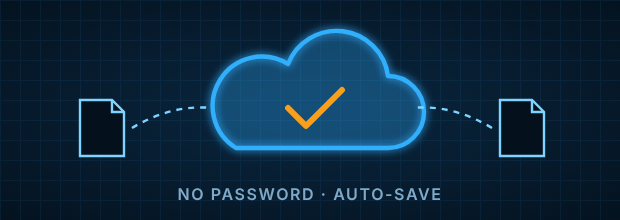
Saved to Your Account
Sign in with just your email — no password. Your files save to your account, and auto-save has your back.
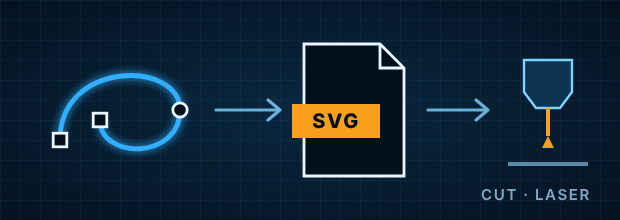
Clean SVG Export
Export tidy SVG files for the web, vinyl cutters and lasers. Your color palette rides along inside the file.
Why this exists
Great designs start in your head They shouldn’t die in the editor
Some are giant programs with a menu for everything. Some are so simple you can’t fix a single curve. Most want an install, a subscription, or both.
So you fight the tool. Nodes pile up, curves go lumpy, text won’t cut, and the file your cutter needs comes out a mess.
We wanted something in between: a real pen tool and real node control, in the browser, with clean SVGs at the end. So we built it.
Tracing Images
Most tracers bury you in nodes We give you just what you need
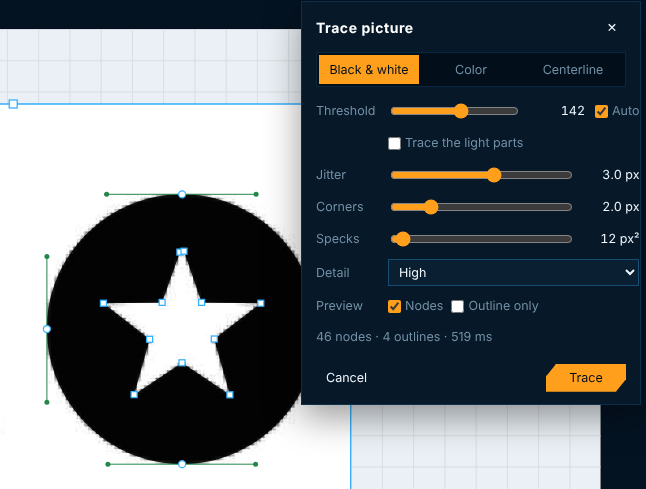
Drop in a logo, a scan or a sketch, and SVG Werkz turns it into shapes you can edit. You see the trace right on the canvas while you change the settings. Nothing is added until you’re happy with it.
Unlike most tracers, it doesn’t bury your shapes in hundreds of nodes. Straight edges become real straight lines, corners stay sharp, and curves get only the nodes they need, placed where you’d put them yourself.
Centerline: a single line down the middle of each stroke, for pens, plotters and engraving
Black & white: one clean shape, ready for cutting
Color: one layer per color, with no gaps between them
Pricing
Full Featured & Radical
Free online editor. Paid plans with more room and the desktop app come later.
Free
$0
Free Online Editor (Beta)
No Credit Card Needed
- Pen tool & full node control
- Text with 870+ Google fonts
- Merge, cut, intersect & exclude
- Eraser, split apart & simplify nodes
- Layers, folders & snapping
- Trace images
- Place images to trace
- Save up to 10 files to your account
- Auto-save
- Unlimited editing & clean SVG export
Pro
Soon
Plans Announced After Beta
Beta Testers Hear First
- Everything in Free
- Unlimited saved files
- SVG Werkz desktop app
- Sync between web and desktop
- Priority email support
FAQ
Common questions
Is SVG Werkz really free?
Yes, and it always will be. Pro, coming later, adds more saved files, the desktop app and support.
Do I need to install anything?
No. It runs in your browser on a computer — Chrome, Edge, Firefox and Safari all work. A desktop app is coming later.
Why do I need to sign in?
So your files can be saved to your account. There’s no password: type your email and we send you a 6-digit code.
How many files can I save?
Up to 10 saved to your account on the free plan. That’s only for saving online — you can edit and export as many files as you want. Pro will have room for more.
Will it work with my vinyl cutter or laser?
SVG Werkz exports standard SVG files, which most cutting and laser software can open. Convert text to paths before you export so it cuts right.
Can I open my existing SVG files?
Yes. Open or import any SVG. If it has lots of extra nodes, SVG Werkz offers to simplify it for you.
Ready to start drawing?
It’s free! Sign in with your email and go.